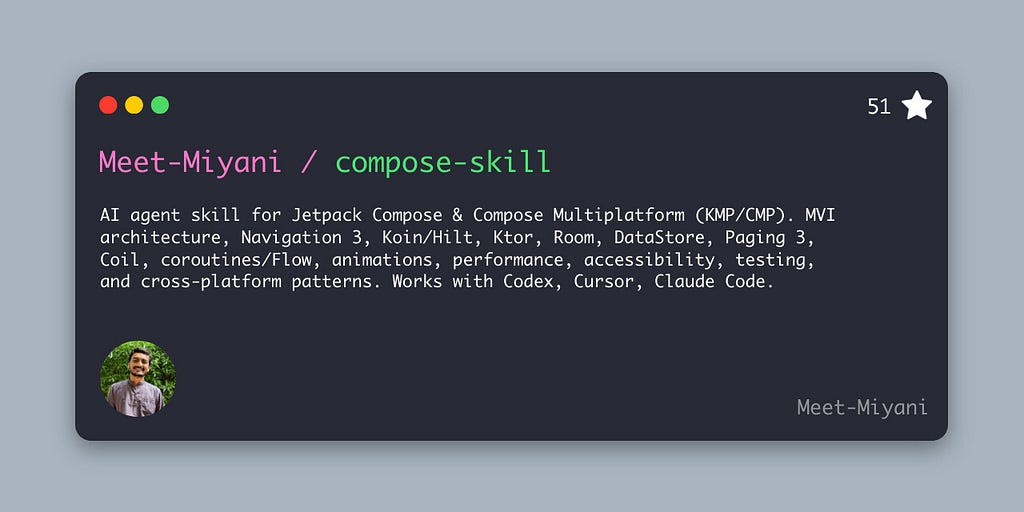
An open-source agent skill for Cursor, Codex, and Claude Code that teaches AI how to write production-grade Jetpack Compose and Compose Multiplatform (KMP) code.
I use AI coding tools every day. Cursor, Codex, Claude Code — they’re part of my workflow now. And for most things, they’re great. But every time I asked them to write Jetpack Compose or Compose Multiplatform code, I kept running into the same problems.
The code would compile. It would even look clean. But it was wrong in ways that only show up later — when the app grows, when you need to test it, when you ship it to real users on Android, iOS, and Desktop.
So I built something to fix it.
The Problem: AI Writes Compose Code That Doesn’t Scale
Let me be specific. Here’s what I kept seeing from every AI coding assistant I tried:
On the Jetpack Compose side (Android):
- Business logic crammed directly inside @Composable functions — parsing numbers, running validation, computing results, all during composition
- mutableStateOf scattered across composables instead of a proper StateFlow in the ViewModel
- One-shot events like snackbar messages and navigation modeled as boolean flags in state (showSnackbar = true) — a classic bug factory
- Material 2 APIs instead of Material 3
- String-based navigation routes when type-safe routes have been the standard since Navigation Compose 2.8+
- Zero awareness of recomposition — the single biggest performance concern in Compose
On the Compose Multiplatform side (KMP/CMP), it got worse:
- AI confidently recommending AndroidX libraries in commonMain that don't publish multiplatform artifacts — your project just won't compile on iOS
- No understanding of when to use expect/actual vs interfaces for platform-specific code
- Using Android’s R.string and R.drawable instead of CMP's Res.string and Res.drawable
- Ignoring platform differences like iOS safe areas, keyboard behavior, and haptics
- Picking the wrong Ktor engine — OkHttp works on Android, but you need Darwin for iOS and CIO for Desktop
The core issue? AI tools have general Kotlin knowledge but zero architectural judgment for Compose. They don’t understand unidirectional data flow. They don’t know which libraries are Android-only vs truly multiplatform. They don’t think about recomposition performance. They just generate code that looks right.
This is the “vibe coding” trap. The code compiles, the AI sounds confident, but you’re building on a broken foundation. And with Compose Multiplatform, the bugs are even sneakier — they hide across targets. Works on Android, crashes on iOS.
What I Built: compose-skill
compose-skill is not a library. It’s not documentation. It’s an AI agent skill — a portable knowledge pack that you install once, and your AI coding tool gains production-grade understanding of the entire Compose ecosystem.
If you’re not familiar with agent skills: they’re an open standard for teaching AI tools domain-specific expertise. Think of it as giving your AI assistant a senior Compose engineer’s brain. It works with Cursor, OpenAI Codex, and Claude Code today.
The skill covers both Jetpack Compose (Android-only) and Compose Multiplatform (Android + iOS + Desktop + Web). This isn’t an afterthought — CMP is treated as a first-class target throughout. The skill knows which libraries actually publish KMP artifacts and which are Android-only. It knows when to use Hilt (Android) vs Koin (multiplatform). It knows the difference between R.string and Res.string.
Here’s what it covers:
- Architecture: MVI with Event, State, Effect. ViewModel patterns. State modeling for forms, calculators, and complex screens.
- Compose UI: Material 3 theming, animations (shared elements, gesture-driven, Canvas), lists/grids/pagers, accessibility and WCAG compliance.
- Navigation: Navigation 3 with NavDisplay, user-owned back stack, scenes (dialog, bottom sheet, list-detail adaptive), modularization. Plus Nav 2 compatibility for existing codebases.
- Data layer: Ktor HTTP client with auth and token refresh, Room Database, DataStore (Preferences and Typed), Paging 3 with MVI integration.
- Performance: 20 recomposition rules, Compose Compiler Metrics, baseline profiles, text input performance, stability annotations.
- Cross-platform: commonMain sharing strategy, expect/actual vs interface decision guide, iOS Swift interop with SKIE, CMP resources (Res.string, Res.drawable), platform bridge patterns.
- Build and ship: Gradle with version catalogs, AGP 9+, convention plugins, CI/CD with GitHub Actions, desktop packaging (DMG/MSI/DEB), signing and notarization.
Structurally, it’s 1 core SKILL.md file + 26 deep-dive reference files. The main file handles 80% of cases. The references get loaded only when the AI needs deeper guidance on a specific topic — navigation details, Ktor setup, Room migrations, etc. This keeps the context window efficient.
Check it out: github.com/Meet-Miyani/compose-skill
Before vs After: What Changes
Let me show you what the skill actually fixes. These are real patterns.
1. State Management in Jetpack Compose
Without the skill — AI puts everything inside the composable:
@Composable
fun LoanCalculatorScreen() {
    var amountText by rememberSaveable { mutableStateOf("") }
    var rateText by rememberSaveable { mutableStateOf("") }
    var yearsText by rememberSaveable { mutableStateOf("") }

    val amount = amountText.toDoubleOrNull() ?: 0.0
    val rate = rateText.toDoubleOrNull() ?: 0.0
    val years = yearsText.toIntOrNull() ?: 0
    val isValid = amount > 0.0 && rate > 0.0 && years > 0
    val monthlyPayment = if (isValid) {
        val monthlyRate = rate / 1200.0
        val months = years * 12
        (amount * monthlyRate) / (1 - Math.pow(1 + monthlyRate, -months.toDouble()))
    } else 0.0
    Column {
        OutlinedTextField(value = amountText, onValueChange = { amountText = it })
        Text("Monthly payment: $monthlyPayment")
        Button(enabled = isValid, onClick = { /* save */ }) { Text("Calculate") }
    }
}
Looks fine, right? But it’s doing validation, parsing, and business calculations inside composition. You can’t unit test any of it. State is forked across multiple mutableStateOf holders. Every keystroke triggers recalculation. This doesn't scale.
With the skill — MVI with Event, State, Effect:
sealed interface LoanEvent {
    data class OnAmountChanged(val amount: String) : LoanEvent
    data class OnRateChanged(val rate: String) : LoanEvent
    data object OnCalculateClick : LoanEvent
}

data class LoanState(
    val amount: String = "",
    val rate: String = "",
    val isSaving: Boolean = false,
    val errors: Map<String, String> = emptyMap()
) {
    val canCalculate: Boolean get() = amount.isNotBlank() && rate.isNotBlank()
}
sealed interface LoanEffect {
    data class ShowMessage(val text: String) : LoanEffect
}
Events describe what the user did. State describes what to render. Effects describe one-shot actions. The ViewModel owns all logic through a single onEvent() entry point. Clean, testable, scalable.
2. One-Shot Events (Snackbar, Navigation)
Without the skill — AI puts events in state:
data class UiState(
    val showSnackbar: Boolean = false,
    val snackbarMessage: String = ""
)
This is a bug. On Android configuration changes, the new collector picks up the state and shows the snackbar again. You need “consume” logic to flip the boolean back. It’s fragile.
With the skill — Effects via Channel:
private val _effect = Channel<CreateItemEffect>(Channel.BUFFERED)
val effect: Flow<CreateItemEffect> = _effect.receiveAsFlow()

// In onEvent():
_effect.trySend(CreateItemEffect.ShowMessage("Saved"))
Effects fire once and are gone. No replay, no consume logic, no double-showing. The skill even includes a reusable CollectEffect composable that handles lifecycle-aware collection.
3. The Compose Multiplatform Trap
Without the skill — AI recommends Android-only code in shared modules:
// commonMain — AI generated this, but it won't compile on iOS
import android.content.Context
class HapticFeedback(private val context: Context) {
    fun vibrate() { /* Android-only API */ }
}
Or worse, it adds an AndroidX dependency to commonMain that doesn't publish multiplatform artifacts. Your Android build passes, then iOS fails with unresolved references.
With the skill — Interface in commonMain, platform implementations via DI:
// commonMain
interface Haptics {
    fun perform(type: HapticType)
}

// androidMain
class AndroidHaptics(context: Context) : Haptics { /* ... */ }

// iosMain
class IosHaptics : Haptics { /* ... */ }
The skill teaches this pattern — define the contract in shared code, implement per platform, wire with Koin. The ViewModel never imports platform types. Testing is trivial with fakes.
How It Works Under the Hood
The skill isn’t a flat list of rules. It’s layered.
The main SKILL.md file contains core architecture principles, decision heuristics, and the MVI pattern with code examples. This handles most prompts without loading anything else.
When the AI needs to go deeper — say, you’re setting up Ktor authentication, or configuring Room migrations, or doing shared element animations — it pulls in the relevant reference file. There are 26 of them, each focused on a single domain. They get loaded on-demand, so your context window isn’t wasted on navigation docs when you’re asking about DataStore.
What makes this different from just writing rules:
Decision heuristics, not rigid prescriptions. The skill doesn’t say “always use MVI.” It says: if the project already uses MVVM and it works, don’t rewrite it. If the project uses 4-type MVI (with a Result type), that’s fine — use it. Only suggest changes when asked or when there are clear architectural violations.
Dependency verification for Compose Multiplatform. Before recommending any library for commonMain, the skill instructs the AI to verify that the artifact actually publishes multiplatform targets. Most Jetpack libraries are still Android-only. The AI checks Maven Central coordinates, target support, and API shape before suggesting anything.
Platform-aware defaults. Android-only project? Default to Hilt for DI, R.string for resources. Compose Multiplatform project? Default to Koin, Res.string, and expect/actual or interfaces for platform APIs. The skill adapts.
Anti-pattern detection. There’s a cross-cutting anti-pattern table that covers 27 common mistakes with concrete “why it hurts” and “better replacement” for each. Plus each reference file has its own domain-specific anti-patterns section.
Quick Installation
One git clone command. Pick your AI tool:
# Cursor
git clone https://github.com/Meet-Miyani/compose-skill.git ~/.cursor/skills/compose-skill

# Codex
git clone https://github.com/Meet-Miyani/compose-skill.git ~/.codex/skills/compose-skill

# Claude Code
git clone https://github.com/Meet-Miyani/compose-skill.git ~/.claude/skills/compose-skill
After cloning, restart your agent or IDE. The skill activates automatically when your prompt involves Compose, ViewModel, StateFlow, KMP, or any related trigger.
Full installation guide with per-repo setup and verification steps: README on GitHub
What I Learned Building This
A few things surprised me while putting this together.
Encoding architectural judgment is way harder than writing code. Writing a ViewModel is easy. Writing rules that teach an AI when to use a ViewModel, how to structure the state, what belongs in effects vs state, and when to break those rules — that’s a different kind of challenge. You have to think about every edge case and every project shape the AI might encounter.
“Correct” and “production-grade” are not the same thing. AI can write correct Kotlin. It can even write correct Compose. But production-grade means handling configuration changes, preserving content during refresh instead of showing a spinner, guarding no-op state emissions, keying list items by stable IDs, and a hundred other details that only matter at scale. That gap is what the skill fills.
The multiplatform angle made it much harder. For Jetpack Compose, you can say “use StateFlow" and move on. For Compose Multiplatform, you first need to verify that lifecycle-viewmodel publishes KMP targets in your version. Then check if collectAsStateWithLifecycle is available in commonMain. Then figure out whether Koin's koinViewModel() works across all your targets. Every recommendation needs a multiplatform verification step. That's why the skill includes it as a core rule.
Skills are better than rules for complex domains. Cursor and Codex both support simple rules files. But rules are meant for short coding guidelines — “use tabs not spaces” level stuff. A complex domain like Compose needs structured, layered knowledge with decision trees, code examples, and on-demand references. That’s what agent skills are built for.
The project is open source under MIT license. It has 51 stars on GitHub as of this writing, and contributions are welcome — whether it’s fixing a typo, improving a reference doc, or adding coverage for new Compose APIs.
Try It
If you build with Jetpack Compose or Compose Multiplatform and you use AI coding tools, this might save you a lot of cleanup work. Install it once, and your AI stops generating architecture you’ll have to rewrite later.
It’s free, open source, and works today with Cursor, Codex, and Claude Code.